Don't lose clients
in your Telegram chats

See what's important, find clients, and know who to reply to. AI-powered clarity for freelancers and small businesses.

For freelancers and small businesses using Telegram for client communication
TelePorter — see important dialogs and potential clients in Telegram

Sound familiar?

Every missed message is a missed opportunity. Here's what the numbers say.

0%

of freelancers miss messages that could be clients

0

potential clients lost per month in busy chats

$0+

average value of a missed client conversation

You don't need another CRM. You need clarity.

Six steps to results

How it works

Connect & Select

1

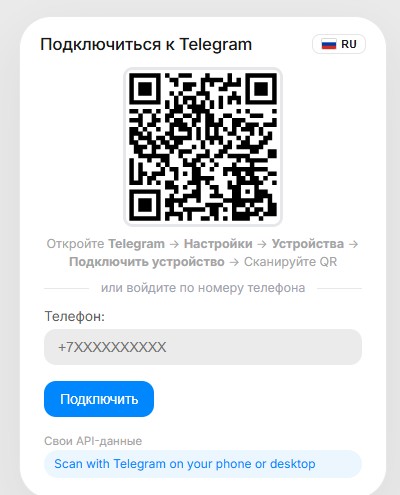
Connect your Telegram

Log in with your Telegram account. Takes 30 seconds. No apps to install, no data to import.

2

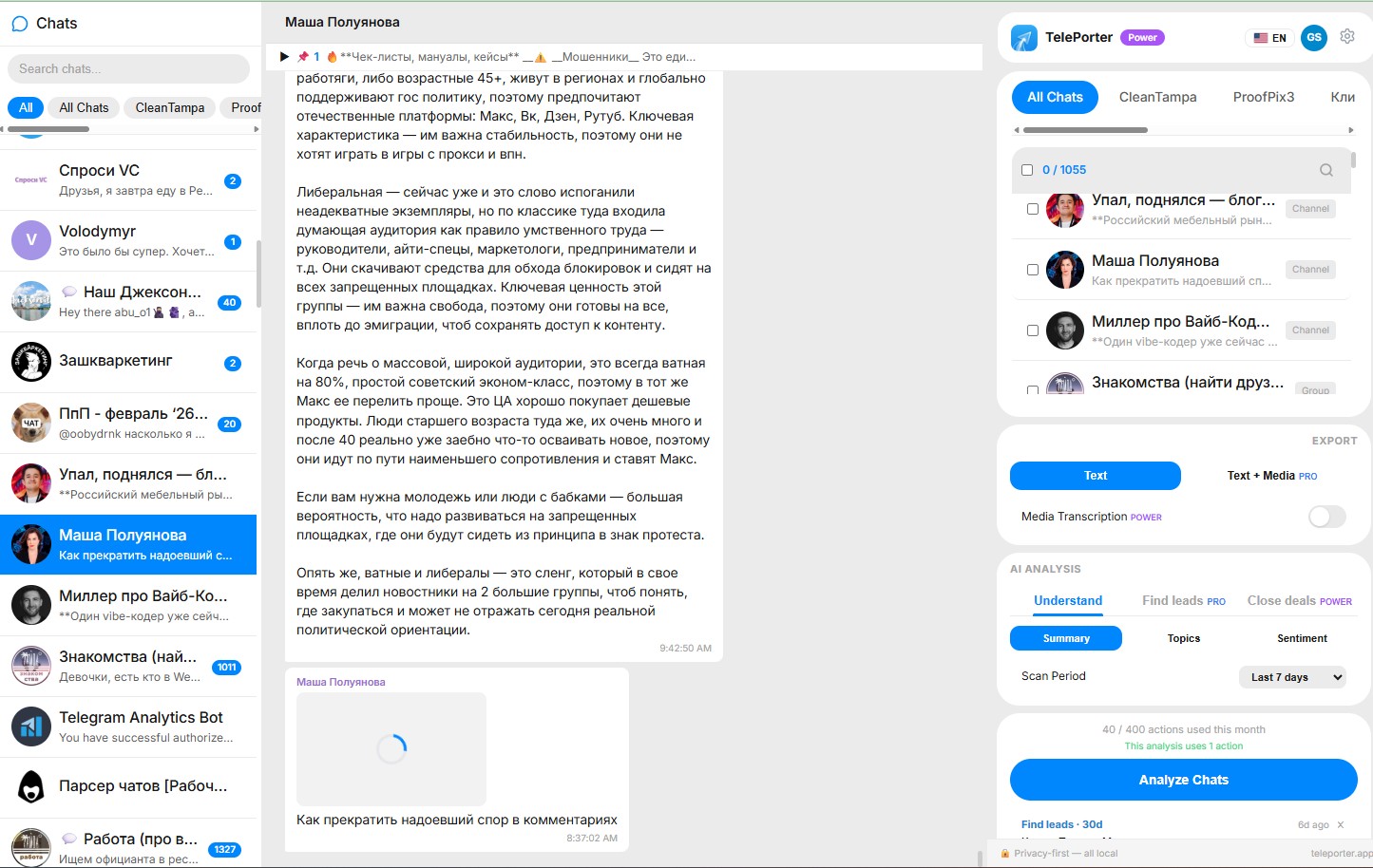
Select chats and time period

Pick the chats you want to analyze and choose how far back to look -- last 3 days, a week, a month.

1. Connect

TelePorter QR login — connect your Telegram in 30 seconds

2. Pick chats

TelePorter chat selection — pick conversations to analyze
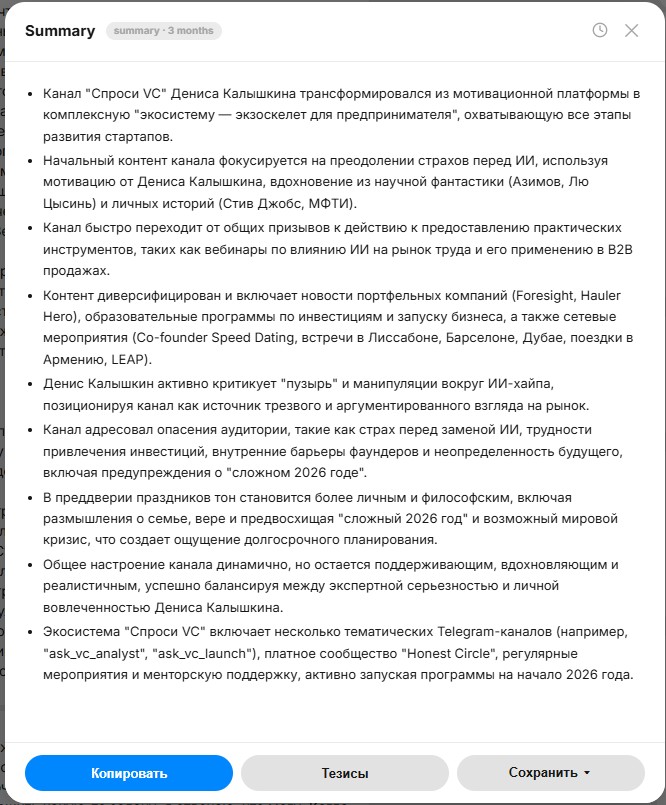
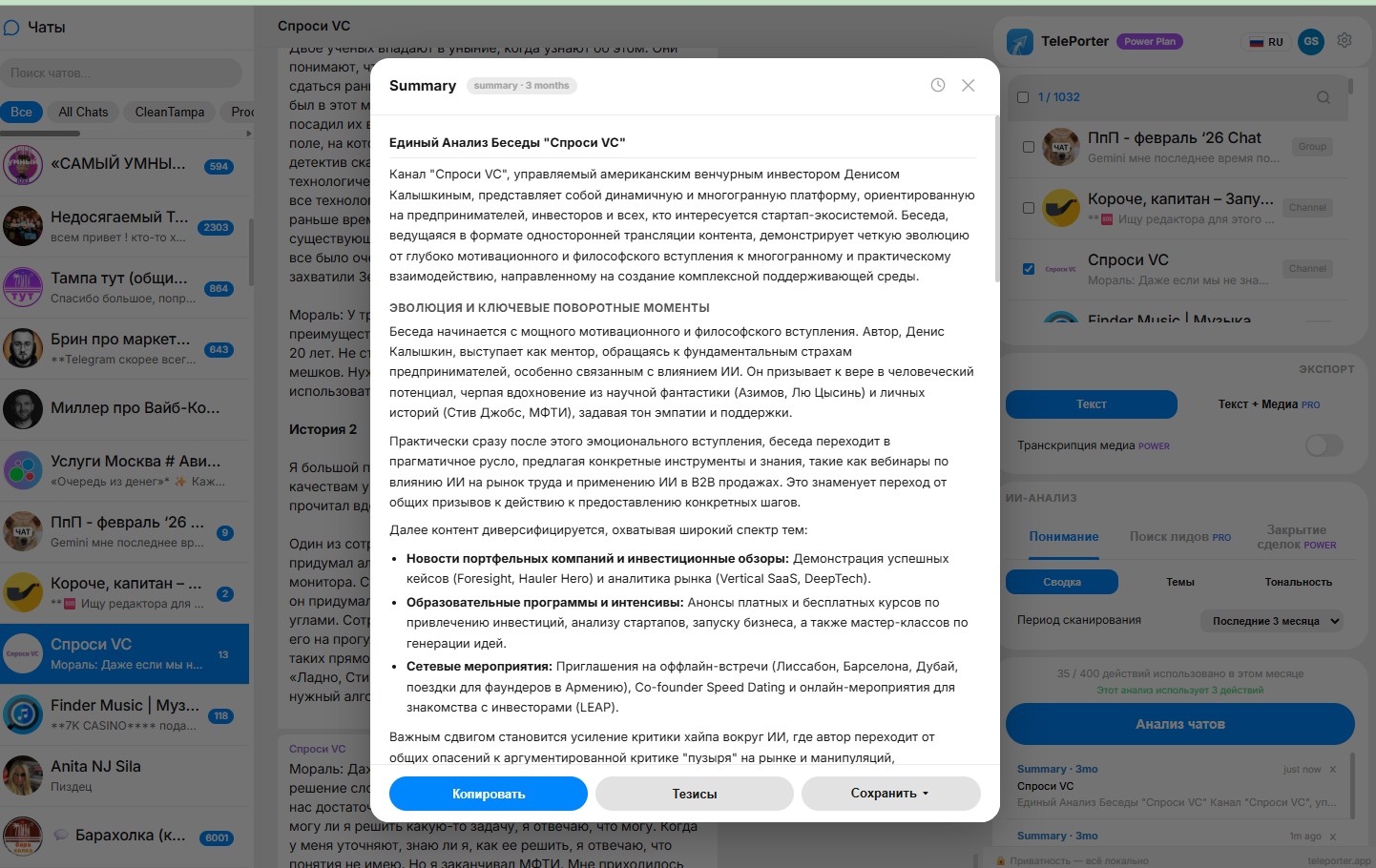
TelePorter conversation summary — key topics and action items at a glance

Understand & Find

3

Get a summary of your conversations

Instead of reading hundreds of messages, get a clear summary. Key topics, decisions, and action items -- all in one view.

4

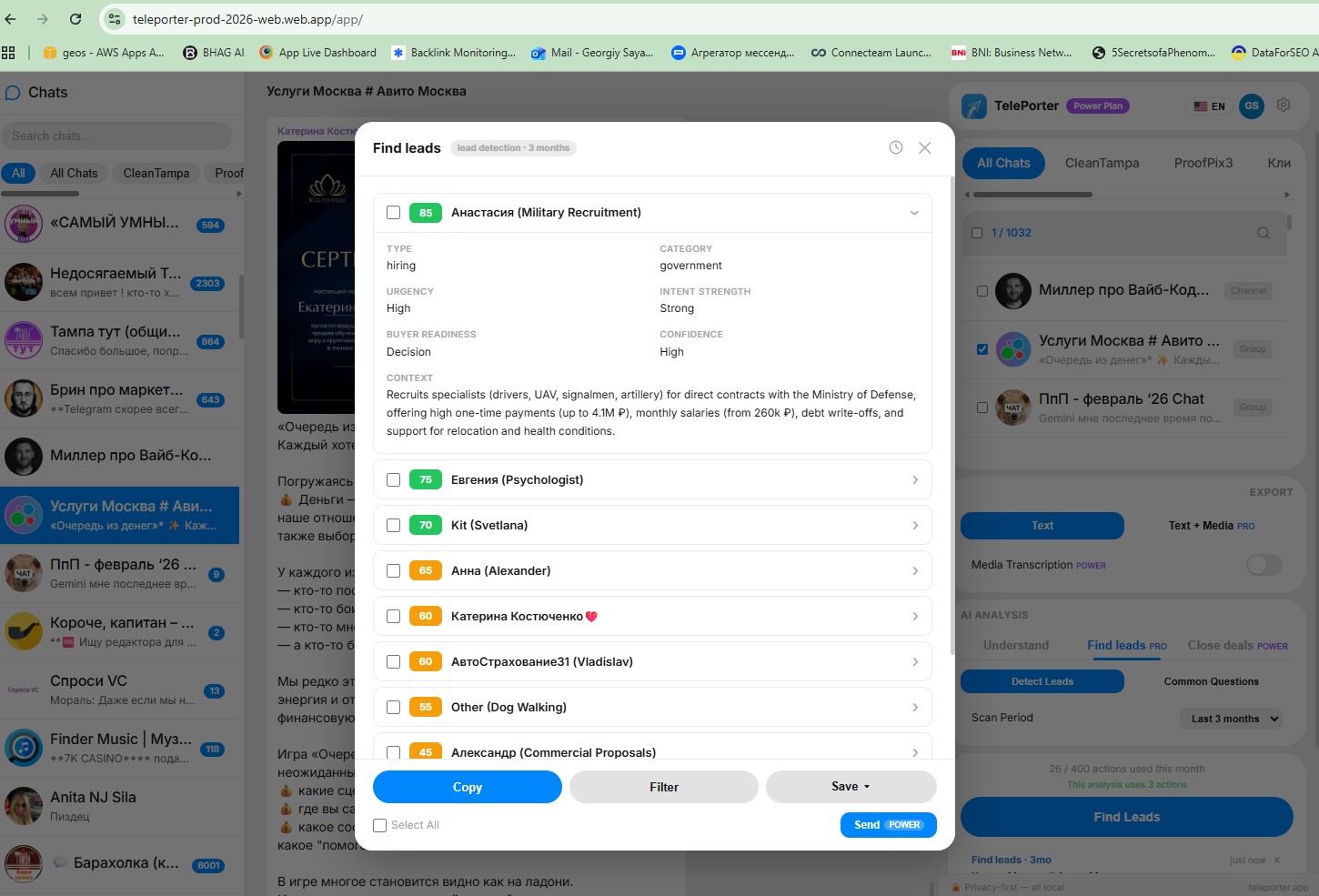
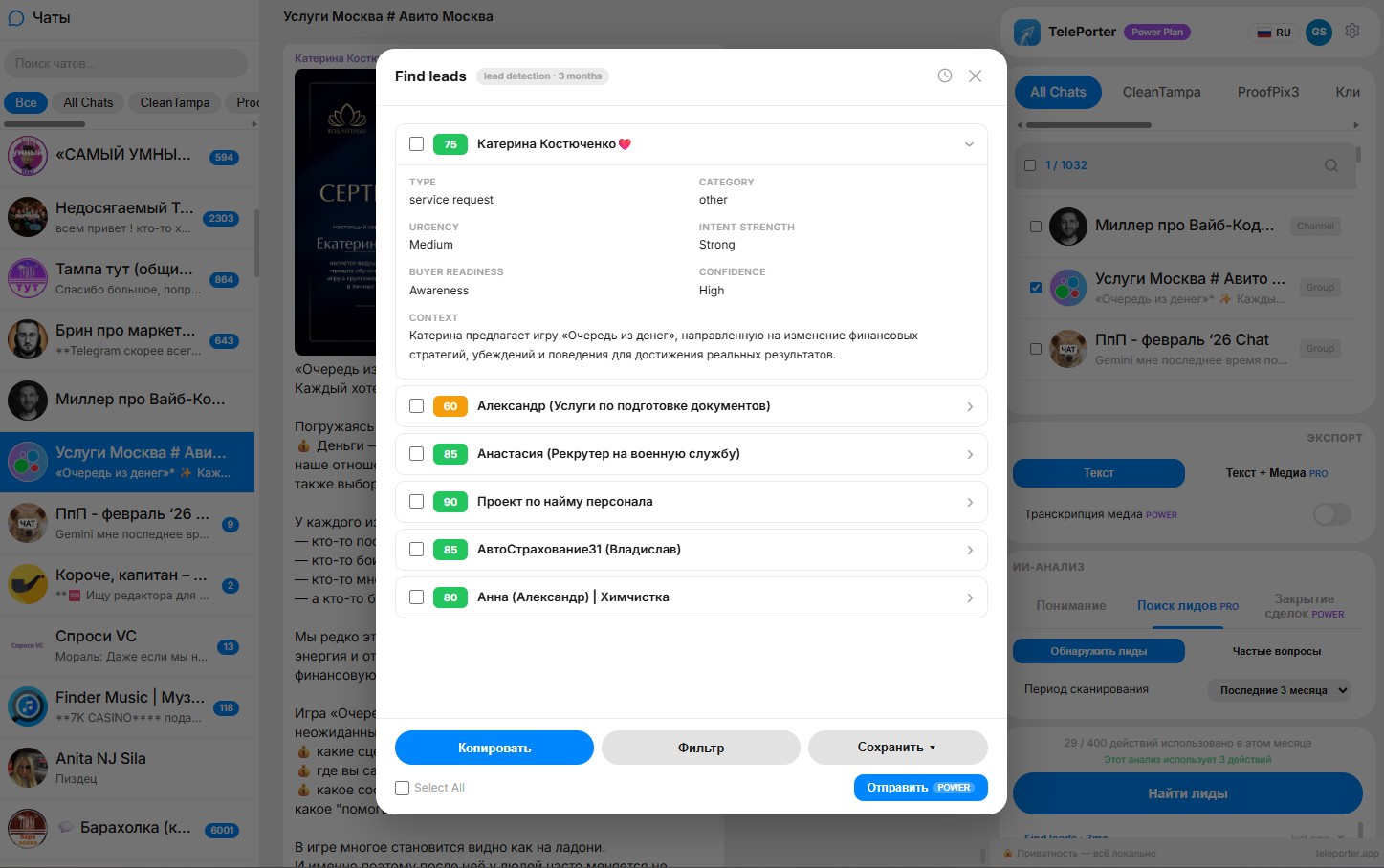
See important dialogs and potential clients

TelePorter highlights conversations that matter -- people asking about prices, showing interest, or ready to buy.

Reply & Close

5

Know who to reply to

See a prioritized list of people waiting for your reply. No more guessing who needs attention.

6

Use suggested replies

Get ready-made reply suggestions based on conversation context. Copy, edit if you want, and send.

TelePorter — important dialogs and potential clients highlighted
TelePorter — reply priority and suggested responses

Return on Investment

One recovered client can pay for the tool many times over

What you get

Understand chats without rereading

Get summaries of what happened in each conversation. No need to scroll through hundreds of messages.

Never miss important messages

Important conversations are highlighted. People who need your attention are surfaced automatically.

Respond faster

Suggested replies based on conversation context. Copy, edit, send. Save time on every message.

Stay in control

See all your chats at a glance. Know what's happening, who's waiting, and what to do next.

Works on Desktop, Mobile, and Telegram

Use TelePorter as a Chrome extension, web app on any device, or directly inside Telegram via our bot. Your plan, credits, and history sync across all platforms.

Chrome Extension Web App Telegram Bot
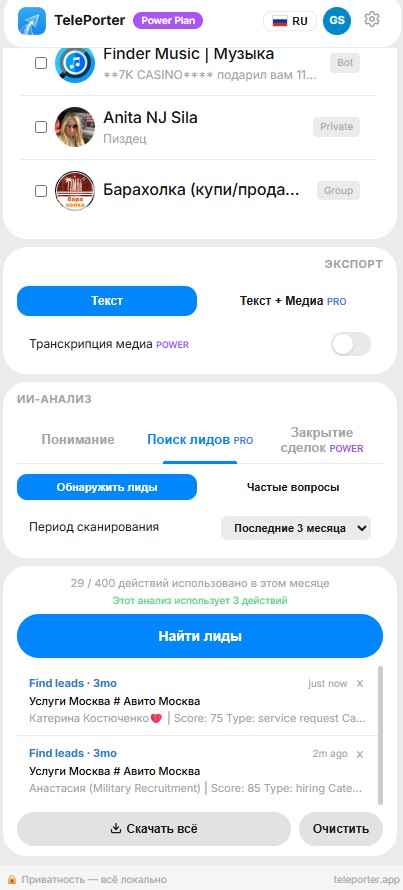
TelePorter mobile view — chat analysis on your phone

No CRM. No setup. No data stored.

Unlike Salesforce, HubSpot, or Pipedrive, TelePorter requires no data import, no manual entry, and no migration. It reads your Telegram chats directly and gives you what you need in seconds.

Works directly with Telegram
100% local processing
No chat data sent to servers
Privacy-first design

Who uses TelePorter?

Freelancers

Too many client chats to keep track of. TelePorter shows you who needs a reply and what each conversation is about.

Small Business Owners

Clients message you on Telegram but things fall through the cracks. TelePorter catches what you miss.

Service Providers

Consultants, coaches, agencies -- anyone juggling multiple client conversations in Telegram at once.

Community Managers

Get summaries of group activity, track key topics, and identify members who need follow-up or support.

Simple pricing based on usage

Start free. Upgrade when you need more.

Find clients

Starter

$7/mo
or $59/year
  • 30-day scans
  • Find potential clients
  • Enough for daily use
Get Starter
MOST POPULAR
Regular work

Pro

$15/mo
or $129/year
  • Everything in Starter
  • Deeper insights
  • Extended scan periods
Get Pro
Full power

Power

$39/mo
or $329/year
  • Smart replies
  • Transcription
  • Everything included
Get Power

Start using TelePorter and see what you're missing

Try Free — No Card Required

This is NOT for you if:

You need new leads (TelePorter works with your existing chats)
You already use a CRM that handles everything
You have very few Telegram chats

Frequently Asked Questions

What is TelePorter?

TelePorter helps you stop losing clients in Telegram. It shows what's happening in your chats, finds people who might become clients, and tells you who to reply to — all processed locally in your browser.

Is my data safe with TelePorter?

Yes. TelePorter processes everything in your browser. Chat data is never sent to our servers. AI analysis runs through Google Gemini API directly from your session. No data export or server storage is involved.

How does TelePorter find potential clients?

TelePorter reads your Telegram conversations and looks for signs that someone is interested — questions about price, urgency, budget mentions. It highlights these contacts so you know exactly who to reply to first.

Is TelePorter a Telegram CRM?

No. TelePorter is not a CRM. It works directly inside your existing Telegram workflow. There is no data import, no manual entry, and no setup required. It reads your chats and shows you who needs your attention right now.

Do I need to install anything?

No. The web version works directly in your browser. There is also a Chrome extension if you prefer that workflow. Both options require zero setup and work in under 30 seconds.

Can TelePorter analyze Telegram group chats?

Yes. TelePorter can analyze both private conversations and group chats. It finds important dialogs, extracts key topics, and highlights potential clients across any Telegram chat type.

What counts as an "action"?

One action equals one analysis run — such as a summary, client detection, or suggested reply. Cost varies by scan depth and chat count. You always see the cost before running.

How much does TelePorter cost?

TelePorter offers a free trial and three paid plans: Starter ($7/month — enough to process your chats and not miss clients), Pro ($15/month — for regular work with clients), and Power ($39/month — for heavy users). No credit card required to start.

Try Free — No Card Required